What is Practice Management Software, and What Does It Do?
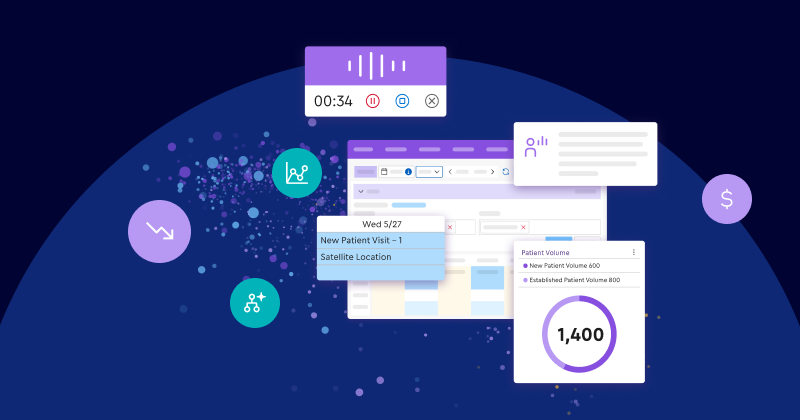
Practice management (PM) software handles the administrative and financial operations of a medical practice. It covers patient scheduling, insurance eligibility verification, medical billing, claims submission, payment collection, and performance reporting. Unlike an EHR, which manages clinical documentation, PM software keeps the business side of a practice running. Specialty practices typically need PM software designed around their specific billing rules, procedure types, and scheduling workflows.
Key takeaways
- The core distinction: EHRs manage clinical care and charting. Practice management software runs the administrative and financial engine.
- Native connectivity wins: When your EHR and practice management share a single database, you can help eliminate duplicate data entry, data sync delays, and manual claim reconciliation.
- Specialty fit matters: Software built around your exact medical field provides workflows that match how you actually practice, surfacing the right information without forcing your team to sift through generic content meant for another specialty.
Why are specialty practices thinking about practice management software?
Even the best-run specialty practices experience situations where daily work becomes harder than it needs to be. Scheduling gaps. Eligibility checks. Billing. Claims. Payments. Reporting. Your staff keeps it all moving, often by bridging the gaps between systems.
But there are smart ways to take that weight off your team. When scheduling, eligibility, billing, and payments share one system, your staff can spend less time re-entering data, chasing coverage details, and reworking claims, and more time serving your patients. The right practice management software serves as the operational and financial foundation that helps reduce administrative burden and accelerate cash flow by unifying your front and back offices.
Why would a team need both EHR and practice management software?
Two types of software. Two very different jobs. Your EHR handles clinical care and documentation. Your practice management software is built to be your EHR’s operational and financial counterpart, driving scheduling, billing, claims, payments, and reporting. It’s the centralized hub designed to keep everything moving.
Much of that work runs on national standards. Under HIPAA, the Centers for Medicare & Medicaid Services (CMS) oversees the standard electronic transactions practices used for core administrative tasks, including eligibility inquiries, claims submission, claim status, and payment remittance. Practice management software is designed to help your team manage those daily tasks more efficiently.
When your EHR captures clinical information as structured data at the point of care, and your practice management software is natively connected to it, that data can move straight from documentation to claims without staff having to chase it down, re-enter it, or manage disconnected workflows.
What should you look for in practice management software?
Your practice is unique. Its workflows are tailored to your specialty. But specialty practices share critical requirements, especially when the goal is reclaiming staff time and easing burnout.
Start with connection. Your scheduling, billing, claims, payments, and reporting should share data without depending on third-party bridges. But connection alone isn’t enough. Look for a system that captures structured clinical data at the point of care and feeds it directly into billing, claims, and reporting, so your team doesn’t have to translate it by hand.
Then evaluate the areas in which work slows:
- Scheduling: Can tools like Appointment Finder and a waitlist that automatically searches for open appointments help staff fill openings and keep schedules full?
- Eligibility: Can your team check real-time insurance eligibility, including remaining deductibles, multiple times without additional clearinghouse charges?
- Billing and claims: Does the software offer customizable claim scrubbing, and turn structured clinical data from your EHR into specialty-specific billing suggestions?
- Payments: Can your team use a patient quoting tool for upfront fee transparency and collect payments via a product like ModMed® Pay with real-time ledger updates?
- Visibility: Can practice leaders use built-in financial dashboards to analyze rejections, denials, and revenue cycle performance?
- Specialty fit: Is the billing system designed for your specialty, or are you forcing generic healthcare software to fit complex specialty workflows?
Don’t look for the longest feature list. Find the system that helps eliminate data silos and disconnected workflows, so automation can go deeper and work more reliably.
How can practice management software make your day easier?
Fatigue is a real thing. The American Medical Association has published extensively on physician burnout, citing administrative burden as a major driver, and has reported that even as doctors work fewer hours, the EHR still follows them home. Costs are climbing, too. The Medical Group Management Association found that 84% of medical groups reported higher year-to-date operating costs in 2026 than at the same point in 2025, with labor costs leading the increase.
Maybe you’ve seen some of this in your own practice.
That’s where the right practice management system steps in. It won’t just organize information. It will help reduce the heavy lifting required to move that information to the people who need it.
That lift can show up in small, meaningful ways throughout the day.
- Insurance eligibility is verified before the visit, without extra clearinghouse fees.
- Smart scheduling tools help fill schedule gaps and keep exam rooms running predictably.
- Handoffs between clinical documentation and financial claims feel seamless.
- Customizable claim scrubbing rules and AI-powered Denial Assessment2 help flag claims at high risk of denial before submission, instead of waiting for rejections to come back.
Built-in reporting tools and financial dashboards can also give leaders clearer visibility into performance. Instead of having to piece together reports from separate systems, administrators can track rejections, denials, and revenue cycle performance from connected data.
That visibility matters because the most disruptive operational problems don’t come from a single giant broken process. They come from dozens of small, almost invisible ones. A few extra clicks here. A duplicate data entry there. A denied claim that needs to be reworked. A payment that has to be reconciled manually. A report that takes longer to build than it should.
Why does specialty fit matter in practice management software?
Every healthcare practice treats patients. But running an ophthalmology practice isn’t the same as running a dermatology practice. And neither works exactly like an orthopedic, allergy, urology, or plastic surgery practice.
Schedules and procedure timing are different.
Complex coding rules are different.
Upfront quoting and elective payment workflows are often different.
Even the way patients move through the practice can be different.
That’s why specialty fit matters. Your practice deserves an EHR and practice management system built for the way your specialty works, with structured templates and relevant workflows right out of the box, so your team doesn’t have to spend all day on custom workarounds or explaining how your practice operates.
How does ModMed Practice Management bring every part of your practice together?
The right practice management software doesn’t just handle a list of tasks. It connects them, helping to eliminate data silos and reduce the work around the work.
ModMed has been ranked #1 by Black Book™ for integrated Practice Management, Revenue Cycle Management, and EHR for eight consecutive years. ModMed Practice Management is the operational and financial foundation of The AI-Powered Practice™. It’s natively connected to EMA® EHR and integrated with ModMed Patient Engagement, ModMed Pay, ModMed RCM AI Platform, and ModMed Analytics. Structured data moves seamlessly across clinical, scheduling, billing, coding, claims, and collections workflows, so you can manage the patient, visit, claim, and payment lifecycles in a unified system.
That structured data also powers ModMed’s AI. Because it works on clean information from across the entire practice, it can help you automate downstream workflows, ease administrative burdens, and catch potential errors before they slow you down.
This native integration removes slowdowns at every handoff.
- Clinical notes flow directly into claims without data sync delays.
- Patient payments auto-allocate right back to the ledger.
- Scheduling, billing, and reporting live in one unified environment instead of separate worlds your staff has to keep stitching together.
The goal isn’t to give your team more software to manage. It’s to give them less managing to do.
What does a better-connected practice look like?
For TriCity Urology, a urology practice in Michigan, the impact of a connected foundation showed up in both time and money.1
- 60-plus-hour workweeks became normal shifts with automated real-time eligibility checks.
- Payment turnaround became 50% faster.
- More than 90% of remittances are now posted electronically, helping reduce manual payment posting.
All of those numbers matter. So does what sits underneath them:
Less time spent checking portals.
Less time waiting on payments.
Less pressure on staff to hold disconnected processes together by hand.
That’s the real benefit of better-connected practice management: fewer unnecessary obstacles between your team and the work you hired them to do.
Ask your software to do more of the connecting
Every practice has complicated work. But your staff shouldn’t have to make that work harder by carrying information between disconnected systems, repeating data entry, or filling in the gaps your technology leaves behind.
The right practice management software unifies your operations, giving your practice an operational and financial foundation built for The AI-Powered Practice.
Bring every part of your practice together.
Schedule an intro call to learn how ModMed Practice Management can help reduce administrative burden, accelerate cash flow, and give you clear visibility across your practice.
FAQs
What does practice management software do?
Practice management software handles the administrative and financial side of a medical practice, including patient scheduling, insurance eligibility verification, medical billing, claims submission, payment collection, and performance reporting.
What is the difference between practice management software and an EHR?
An electronic health record (EHR) system focuses primarily on clinical documentation, patient charts, and ePrescribing during the visit. Practice management software handles administrative and financial workflows, including appointment scheduling, insurance verification, medical billing, claims submissions, patient payments, and practice analytics.
Why is native integration between an EHR and practice management software important?
Native integration means both systems share a single database, so your team works in one place, with one login, not two. Structured data flows from clinical documentation into financial claims and patient ledgers, helping reduce duplicate entry and manual handoffs.
How does practice management software in an integrated platform help reduce claim denials?
Practice management software built within an integrated platform receives auto-suggested codes from a specialty-specific EHR, runs customizable claim scrubbing rules, and helps your team submit cleaner claims and collect what you’ve earned faster.
1 Results may vary based on practice size, product usage, and other factors. Each statistic is based on one ModMed user.
2 Denial Assessment is not yet available to all specialties. Contact ModMed for more details.
This blog is intended for informational purposes only and does not constitute legal or medical advice. Please consult with your legal counsel and other qualified advisors to ensure compliance with applicable laws, regulations, and standards.